













All Chairs Aren’t Created Equal (& That’s a Good Thing)
If you’ve ever sat in a chair that looked great online, but felt wrong by 2:00 p.m., you already know the truth: the “best” chair doesn’t exist. The best chair is the one that matches your body, your work, and your space.
A receptionist who pops up to greet visitors needs something different than an accountant who’s parked for eight hours, and both need something different than a drafter who works at a taller surface. The good news? The “little” features like arms, mesh backs, lumbar support, seat sliders, headrests, base materials, and casters, are exactly what let you customize comfort and performance to the role.
Below is a practical breakdown of chair features and who they help most, with real examples from US Discount Office Furniture products.
1) Breathable mesh backs: for people who run warm (or sit for long stretches)
Mesh backs are popular for a reason: they increase airflow, reduce that “stuck to the chair” feeling, and often provide a supportive, flexible back that moves with you.
Best for:
-
People who sit most of the day (accounting, customer support, dispatch, analysts)
-
Warmer offices, home offices, or anyone who prefers cooler seating
USDO examples:
-
Y-Series Mid-Back Mesh Task Chair - Designed for extended use with robust commercial-grade parts, includes a 4" thick CoolFlow seat, and an ergonomically contoured CoolMesh back for added comfort.
-
Phaser High-Back Executive Chair – A high back that supports the upper back/neck area, with a breathable mesh backrest and a cushioned seat for comfort.
Why it matters: If you’re consistently distracted by heat or discomfort, you’ll fidget more—which usually means less focus and worse posture over time.
2) Lumbar support: for anyone who wants to protect their lower back
Lumbar support isn’t a luxury; it’s posture insurance. Chairs that support the natural curve of your lower back can help you stay upright without constantly “holding yourself up.”
Best for:
-
Desk-heavy roles (finance, HR, admin, operations)
-
Anyone with a history of lower-back tightness from sitting
USDO example:
-
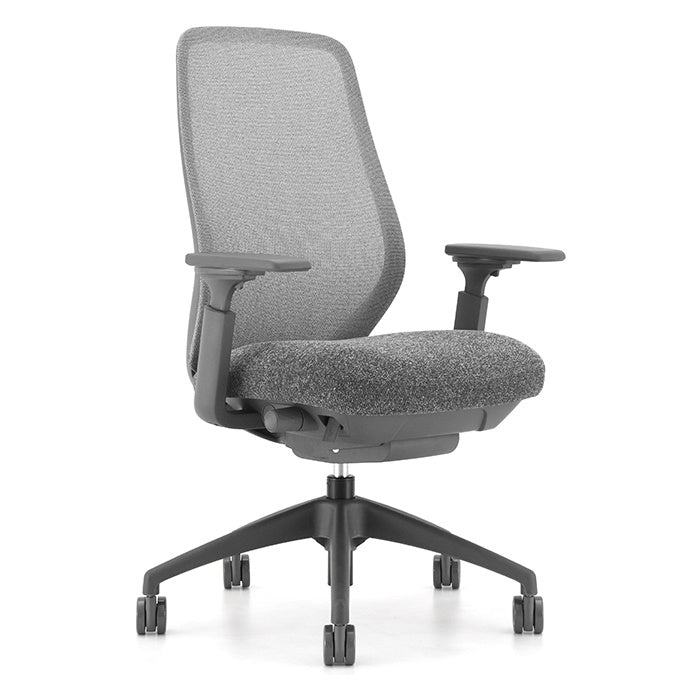
Pivot Mid-Back Mesh Chair – A black mesh back with a charcoal fabric seat plus tilt lock/tension, pneumatic height adjustment, and height-adjustable arms. It’s also known for exceptional lumbar support, which matters if you’re at your desk for hours.
Pro tip: Lumbar support works best when paired with the right seat depth—so if you’re shorter or taller than average, look for a seat slider (next section).
3) Seat sliders + seat depth: for tall users, long legs, and “perch” sitters
A seat slider lets you move the seat pan forward/back so your legs aren’t either dangling off the front edge (too deep) or feeling like you’re falling off (too shallow). This is one of the most underrated “fit” features.
Best for:
-
Taller users or long-legged sitters
-
Shared workstations (because multiple bodies use one chair)
-
People who switch between upright focus and reclined calls
USDO examples:
-
Apex Executive High-Back Chair – Includes a seat slider and molded foam back/seat for a supportive, executive feel.
-
Pilot High-Back Chair – Includes a multi-function seat slider and multiple adjustments (tilt, height, etc.), making it a great “fits many people” option.
4) Thick padded seats: for comfort-first sitters (and long meeting days)
Some people love the feel of mesh everywhere. Others want a plusher, more cushioned seat—especially if they sit continuously, or if they’re in an executive or conference setting where the chair should feel substantial.
Best for:
-
Executives, managers, conference rooms
-
Anyone who prefers “softer landing” comfort
-
Long meetings or focus work where pressure relief matters
USDO examples:
-
Saint James Executive High-Back Chair – Meticulously designed for maximum comfort and support, showcasing a spacious button-tufted backrest and cushioned seat.
-
Marco Big and Tall Anti-Microbial Executive Chair – Highlights a pneumatic height adjustment and a thick, double-padded seat.
5) Adjustable arms: for keyboard users and shoulder comfort
Armrests aren’t automatically “better”—but the right arms, set at the right height, can reduce shoulder tension and help keep wrists neutral at the keyboard.
Best for:
-
Heavy mouse/keyboard users
-
People with shoulder/neck tightness
-
Anyone who wants more control over posture
USDO examples:
-
Flint Executive High-Back Mesh Chair – Includes height-adjustable arms, useful for dialing in elbow support.
-
Basic Mesh Drafting Chair – Offers configurations including optional adjustable arms, so you can keep it minimal or fully supported.
6) Headrests + high backs: for call-heavy roles and taller sitters
Headrests and tall backs are especially helpful if you recline during calls or want extra support for upper back/neck.
Best for:
-
Managers, sales, and anyone in back-to-back calls
-
Taller users who need more back height
-
People who like to recline to think/read
USDO examples:
-
Atlas II Customizable Task Chair – The chair includes a mesh seat and back with a charcoal frame and can be enhanced with a headrest for increased comfort and flexibility.
-
Drone Executive High-Back Chair – Its tall back is designed to support the upper back/neck area.
7) Wide height range + drafting options: for taller worksurfaces and sit/stand zones
Working at a counter-height desk, drafting table, lab station, or shared collaboration bench? A standard task chair may not rise high enough (and your feet may lose support). Drafting chairs and stool kits solve that.
Best for:
-
Designers/drafters
-
Warehouse office counters, labs, clinics, reception counters
-
Sit/stand work where you occasionally perch
USDO example:
-
Konfurb AX Drafting Chair – Built specifically for drafting-height needs.
8) Bases + casters: the “small” details that make a chair feel right
Two people can sit in the same model and have totally different experiences depending on stability and movement. A sturdy base helps the chair feel planted; the right casters help it glide the way you need—without damaging floors.
Best for:
-
Anyone with hardwood or specialty flooring
-
Training rooms, classrooms, boardrooms (where chairs move often)
USDO examples:
-
4 Piece Guest Chair Caster Set – A heavy-duty caster set designed to improve mobility on hardwood floors.
And if your space is multi-purpose—like training rooms or overflow meeting space—mobility + storage matters too:
-
Alan Nesting Guest Chair with Arms – Includes casters, removable arms, and a flip-up seat that allows chairs to nest for space-saving storage, plus an articulating back for comfort.
The simplest way to pick the right chair
When you’re choosing seating, start with these three questions:
-
How long will you sit at a time?
Short bursts = guest or nesting seating. Long stretches = ergonomic task or executive seating. -
What’s the main discomfort you’re trying to solve?
Heat → mesh back. Lower back → lumbar support. Pressure points → thicker padded seat. Neck fatigue → high back/headrest. -
Is the chair for one person or many?
Shared seating benefits from adjustability (seat slider, arms, tilt controls) so multiple users can fit comfortably.
Because at the end of the day, chairs aren’t “one size fits all”—they’re tools. And the right features don’t just make the chair more comfortable… they make the workday better.
- Choosing a selection results in a full page refresh.